Bug reports that come with the proof
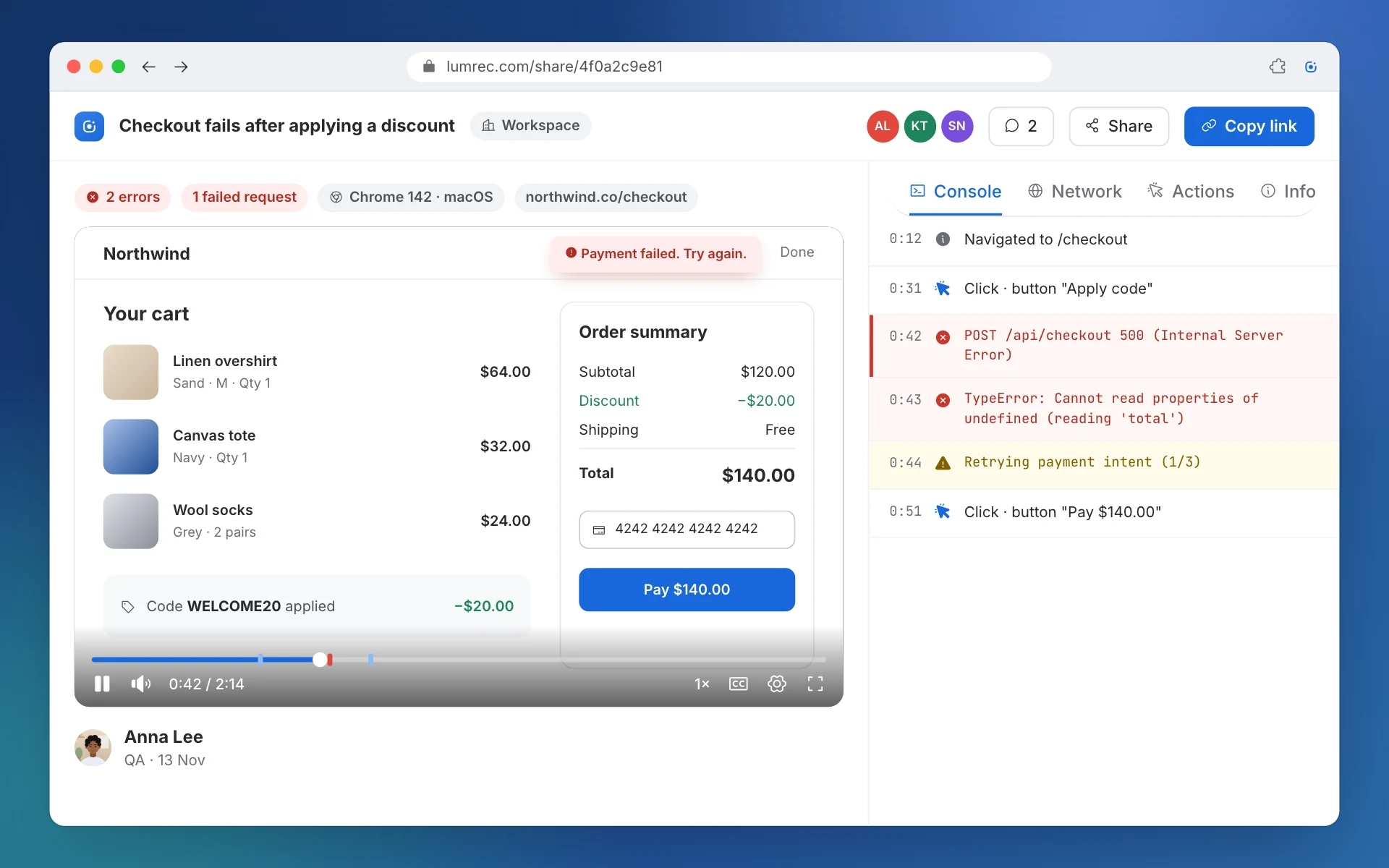
Record the tab once. Lumrec saves the console, network requests and every click with the video, in sync, so developers see exactly what went wrong.
No more “I can’t reproduce it”
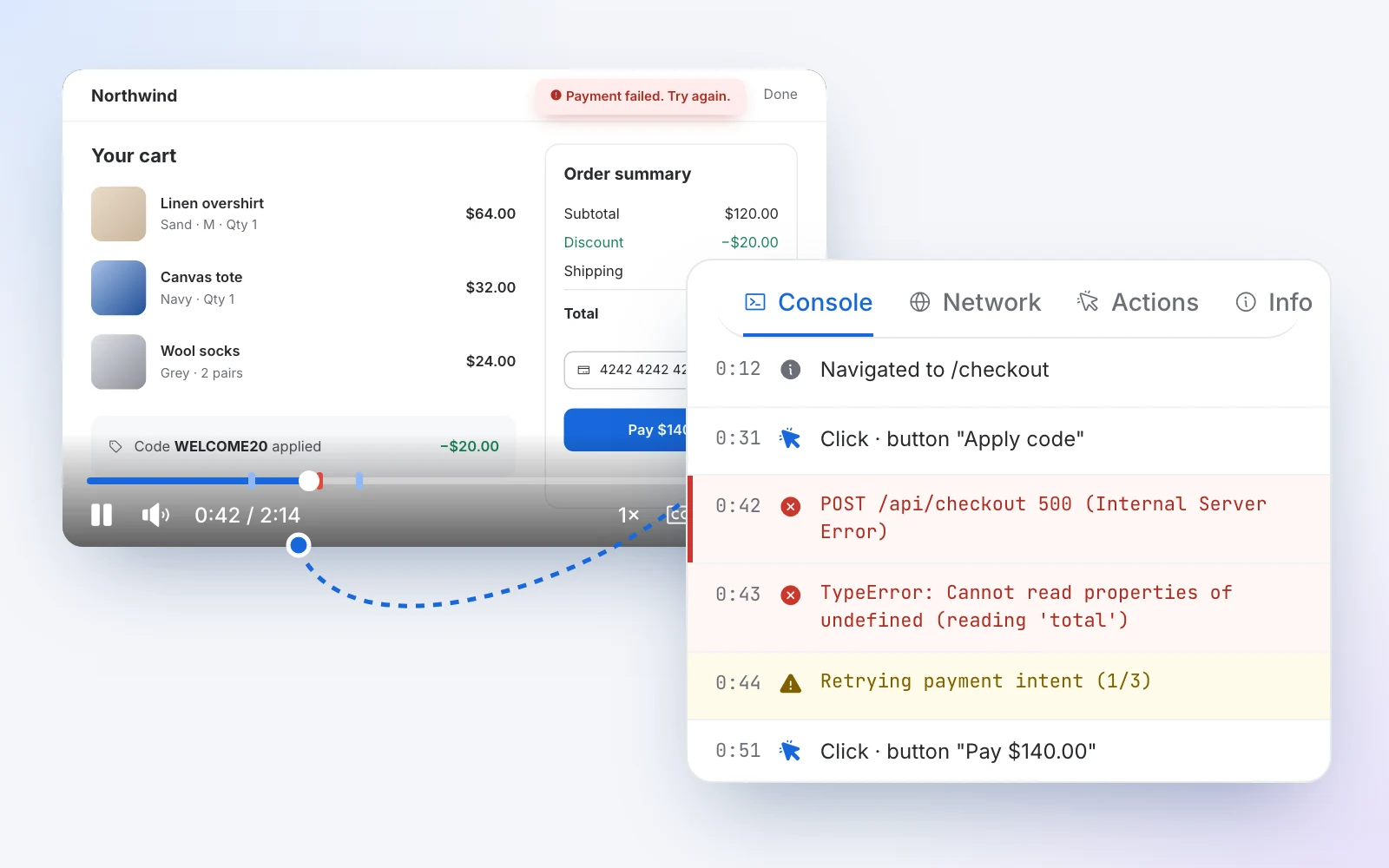
The Chrome extension records the tab together with its devtools. Errors, requests and clicks line up with the video, so the fix starts at the right second.
Every report in one place
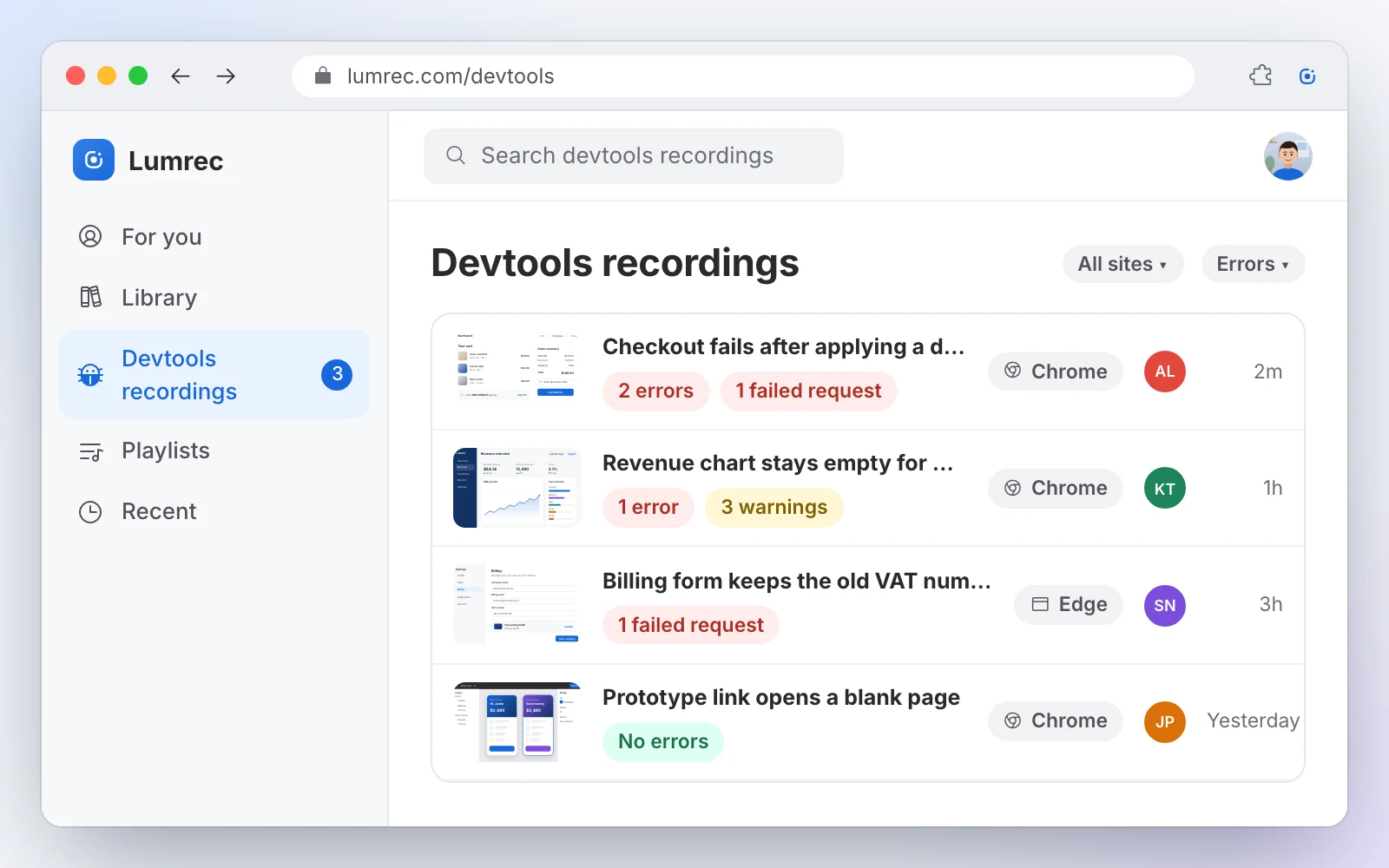
The Devtools recordings page lists your team's recordings with the page, browser and what each log caught, so you can triage without opening them one by one.
Private by design
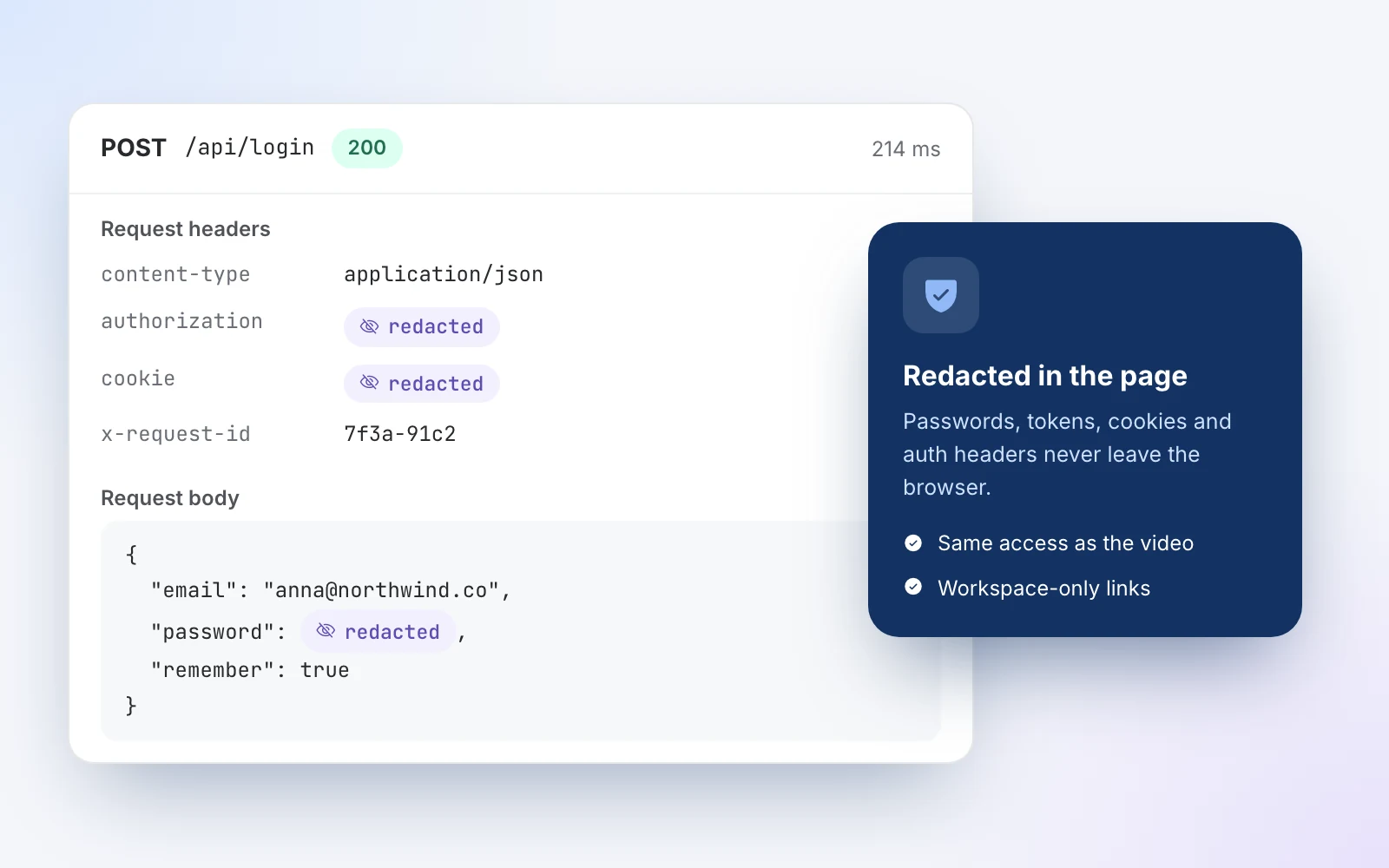
Passwords, tokens, cookies and auth headers are redacted inside the recorded page, before anything leaves it. Viewers see the log only if they can watch the video.
Fix it with your AI agent
Paste a devtools recording into Claude, ChatGPT, Claude Code or Cursor. Your agent reads the console, network and clicks through Lumrec's MCP server and starts at the line that failed.
How to connectEverything a developer asks for
Start recording in under a minute
No credit card needed. 35 free videos.